Showing posts with label Linux. Show all posts

How to Install Windows 8 theme on Ubuntu 10.10/11.04/11.10


Download Free Windows 8 Transformation pack for Ubuntu 11.04/11.10/10.10


Windows 8 is not yet officially released,but it'd Developer version is released for testing.It is better than Ubuntu 11.04/11.10.Lot of good features are available.New Desktop ,New Mosaic theme....and more...

Here we discussing How to install Windows 8/Windows 7 theme on Ubuntu


1.First Download this File

win7-setup.sh

2.Download it,make sure that it is in Downloads Folder

Example:Downloads/win7-setup.sh

3.Open Terminal

cd Downloads/


Example:sibin@sibin-P4I45Gx-PE:~$ cd Downloads/

enter

./win7-setup.sh


sibin@sibin-P4I45Gx-PE:~/Downloads$ ./win7-setup.sh


4."The Win theme installation will start now "

Click on OK

Click on "Yes/OK"....It automatically Download all files

After it

5.Check Downloads folder

Make sure that win7.tar.gz and win7-uninstall.tar.gz are exit


6.Open Terminal

cd Downloads/


Enter

tar -zxvf win7.tar.gz


7.Open Downloads folder

select win7.tar.gz file .Right click (Mouse). Extract it

8.Open Win7 Folder .Open Win7/Debs

install gnomenu_all.deb ,gtk2-engine-oria_i386.deb,talika_i386.deb (amd version also available ).You must install these file (You need Internet connection)

Then return to Win7 folder

Find setup-win7-theme.sh file

9.Open Terminal

cd Downloads/win7


Enter

./setup-win7-theme.sh


10.You will get error messages .

Extract win7-cursor.tar.gz ,win7-theme.tar.gz .....7 files are available.Extract all files .After extraction .copy these files and paste to

(Open My computer)Filesystem-->usr/local/etc


and Paste all files

Repeat step 9.

11.Goto Desktop -->Right click (Mouse)-->Theme

Install-->(Open Downloads Folder)-->win7-->Install all 7 files
(win7-cursor.tar.gz,win7-icons.tar.gz,win7-fonts.tar.gz,win7-gtk.tar,gz etc...all 7 files)

You will get lot off error messages...ignore it


12.Theme-->Get more theme online -->From theme page -->Windows Borders

Download

MCity-VistaBasic.tar.gz

and install it.(I think you know "How to install a theme")

Desktop-->Right click (Mouse)-->Theme-->Install-->Select files

13.Your Start menu replaced with Ubuntu icon/similar button.To get Windows 7 button-Select start menu (Gnomenu)-->Right click -->Properties->

Gno menu settings

Theme-->Button selection-->Install (Downloads/win7/gnomenu/button)

select win7.tar.gz and install it

Menu selection-->Select Vista (Nearer to uninstall )

14.Download Windows7 wallpaper and use it


After all this work you can restart your OS.If there is any problem ,please ask me...I will Help.Detailed Video available on Youtube.

Videos How to Install Windows 8 theme on Ubuntu 10.10/11.04/11.10


 Source: http://www.7chip.com/2011/10/how-to-install-windows-8-theme-on.html

Windows 8 theme, Ubuntu 10.10/11.10/11.04,Windows 8 transformation for Ubuntu,windows ubuntu theme, download ubuntu theme, install ubuntu theme
»»  READMORE...

Download Ubuntu 11.10 Mac Theme (Macbuntu)

Ubuntu 11.10 Mac Theme (Macbuntu) is the favorite themes for Ubuntu. So many user use this theme besauce Mac is one of the beautiful OS in the world .Desktop,Wallpaper's,Icon Everything is amazing.

If you want install theme only,use this link


Mac OS X Transformation Pack Macbuntu theme - Compiz Desktop and Rotate Cube

Description Macbuntu :

Mac OS X Transformation Pack. Macbuntu is an open-source program, designed to transform Linux’s appearance and layout into a Mac OS X environment. Although Macbuntu is dedicated to Ubuntu Linux OS, it could be used in other OS based on Debian/GTK


Features Macbuntu :

* Attention: Script significantly changes the desktop.
* Attention: Not compatible with Ubuntu Netbook Edition
* Attention: The Global Menu does not current work correctly for all applications. This is a known issue.
* Paw-OSX and Paw-Ubuntu Plymouth themes
* Macbuntu sound theme
* Macbuntu GTK theme based on GTK Leopard
* Macbuntu-Icons based on Mac4Lin and Faenza Icons
* Macbuntu-Cursors based on Shere Khan X
* Mac OS X backgrounds and fonts
* Compiz Extras, Global Menu, Docky, Ubuntu-Tweak
* Preconf for login screen, metacity, compiz, window theme, backgrounds, cursors, icons, docky and top panel

Compiz Shift Switcher mac ubuntu theme 11

Macbuntu Compiz Scale like Mac OS X's Expose All Windows


Download Macbuntu theme File (Size 40 MB,tar.gz format)

ubuntu 11.10 mac theme,macbuntu 11.10,mac theme for ubuntu 11.10,mac theme ubuntu 11.10, download macbuntu, download ubuntu theme, best ubuntu theme, free ubuntu theme,Ubuntu 11.10, ubuntu 11.10 theme,ubuntu theme,gnome3,Download Free Ubuntu 11.10,Macbuntu 11.10 ,Mac theme for Ubuntu,How to install Mac apps in ubuntu ,Free Linux games,Oneiric Ocelot
»»  READMORE...

Download Firefox 9.0 Beta for Linux

A redesign of Mozilla's browser component
Firefox 9.0 the next gen after Firefox 8


Mozilla Firefox project is a redesign of Mozilla's browser component, written using the XUL user interface language and designed to be cross-platform.

Firefox browser is a fast, small and very easy to use browser that offers many advantages over other web browsers, such as the ability to block pop-up windows and the tabbed browsing experience
.
Download, Mozilla Firefox 8,Linux,ubuntu, Firefox 8, Firefox 8  install, download Firefox 8,Celebrating 7 years of Firefox
Firefox 9.0, which was made available for download on the official FTP site of the Mozilla company, yesterday morning, includes some interesting new features.

Highlights of Mozilla Firefox 9.0 Beta:
· Added Type Inference, radically improving the JavaScript performance;
· Do Not Track status can now be queried via JavaScript;
· font-stretch support was added;
· text-overflow support was improved;
· HTML5, CSS, and MathML support was improved;
· Various stability issues were fixed.

What's New in This Release:
· Add-ons installed by third party programs are now disabled by default
· Added a one-time add-on selection dialog to manage previously installed add-ons
· Added Twitter to the search bar
· Added a preference to load tabs on demand, improving start-up time when windows are restored
· Improved tab animations when moving, reordering, or detaching tabs
· Improved performance and memory handling when using and elements
· Added CORS support for cross-domain textures in WebGL
· Added support for HTML5 context menus
· Added support for insertAdjacentHTML
· Improved CSS hyphen support for many languages
· Improved WebSocket support
· Fixed several stability issues

Download Firefox 9.0 Beta for Linux binaries and sources right now. Also, don't forget to visit our always up-to-date Firefox Extensions section for the latest add-ons!

download Firefox 9.0,Firefox 9.0,Firefox 9 Beta,Linux,Ubuntu 11.10,firefox 8 lucid,firefox 8 ubuntu
»»  READMORE...

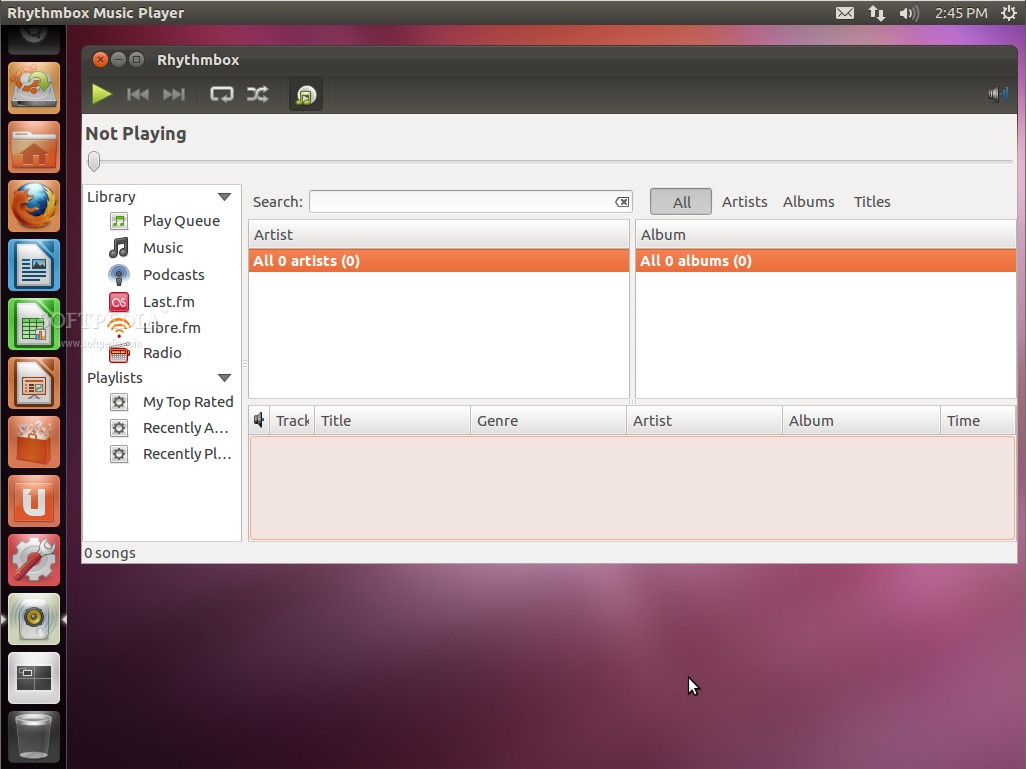
Rhythmbox or Banshee in Ubuntu 12.04?

During the Ubuntu Developer Summit for Ubuntu 12.04 LTS (Precise Pangolin) the developers discussed the possibility of returning the Rhythmbox music player as the default audio management app for Ubuntu.

Jason Warner from Canonical what to know user's opinion in this matter, so write here in a comment if you want Rhythmbox to replace Banshee in Ubuntu 12.04 LTS.


Image comment: Rhythmbox music player in Ubuntu 12.04 LTS

I have to admit that Rhythmbox is my favorite music player in Ubuntu and I've replaced Banshee with it in Ubuntu 11.10 (Oneiric Ocelot).

Banshee has a lot of problems if you ask me. From the fact that it depends on Mono, and continuing with the time it takes to start and its overall stability issues.

Rhythmbox is light, it starts very fast, and it "just works". What do you think about Rhythmbox or Banshee? Which one should be the default music player in Ubuntu? Please post comments below!


 http://news.softpedia.com/news/Do-You-Want-Rhythmbox-or-Banshee-in-Ubuntu-12-04-233449.shtml 

Ubuntu 12.04,Rhythmbox,Banshee,Precise Pangolin,Canonical
»»  READMORE...

How to Install Firefox 8 in Ubuntu 10.04 and 10.10

How to Install Firefox 8 in Ubuntu 10.04 and 10.10


The following tutorial will teach Ubuntu 10.10 (Maverick Meerkat) and Ubuntu 10.04 LTS (Lucid Lynx) users how to install the newly released Mozilla Firefox 8 web browser.

  the following tutorial to guide them with the installation of the popular Mozilla Firefox 8 web browser in the Ubuntu 10.04 LTS (Lucid Lynx) and Ubuntu 10.10 (Maverick Meerkat) operating systems.

Official 64-bit and 32-bit Mozilla Firefox 8.0 packages are now available for the following Ubuntu distributions:

· Ubuntu 10.10 (Maverick Meerkat)
· Ubuntu 10.04 LTS (Lucid Lynx)

To install Mozilla Firefox 8 on your system follow the next step-by-step (with screenshots) tutorial.

Step 1 - Add the Firefox 8 repository

No matter what operating system you are running (Ubuntu 10.10 or Ubuntu 10.04 LTS), hit the ALT+F2 key combination on your keyboard, check the "Run in terminal" option and paste the following command in the "Run Application" dialog:

gksu add-apt-repository ppa:mozillateam/firefox-stable

firefox7ubuntu,Add the Firefox 8 repository,firefox 8, ubuntu, linux,install

Enter your password when asked and hit the OK button. A terminal window will appear for a few seconds, and it will automatically close. Hit the ALT+F2 key combination again, check the "Run in terminal" option and paste the following command in the "Run Application" dialog:

gksu apt-get update

gksu apt-get update, ubuntu, firefox 8

Enter your password when asked and hit the OK button. A terminal window will appear for a few seconds, and it will automatically close.

Step 2 - Install Firefox 8

Hit the ALT+F2 key combination on your keyboard, check the "Run in terminal" option and paste the following command in the "Run Application" dialog:

sudo apt-get install firefox

sudo apt-get install, firefox, install, ubuntu, firefox 8, update, mozilla, new firefox

A terminal window will appear. Enter your password when asked. When you will be asked if you want to install the Firefox 8 packages, type Y and hit the Enter key. Wait for the installation to finish and close the terminal window.

That's it! The new Mozilla Firefox 8 is now fully installed in your Ubuntu machine. You can start it from the Applications -> Internet menu.

Mozilla Firefox 8, Ubuntu 11.10 (Oneiric Ocelot),install, download, firefox 8

Firefox 8 on Ubuntu 11.10 (Oneiric Ocelot)

In time, Mozilla Firefox 8 will automatically update to newer versions, so make sure you update your system regularly. If you have problems with the tutorial, do not hesitate to comment below!


Source: http://news.softpedia.com/news/How-to-Install-Firefox-8-in-Ubuntu-10-04-and-10-10-232859.shtml 

Download Firefox 8 Final for Linux
Try the new Firefox next gen, Download Firefox 9.0 Beta for Linux

 Firefox 8,Ubuntu 10.10,Ubuntu 10.04 LTS,install Firefox 8,Lucid Lynx,Mozilla Firefox 8,download Firefox 8,Firefox 9 download,Linux,Ubuntu 10.04,Ubuntu 10.10,firefox 8 lucid,firefox 8 ubuntu,download Firefox 9.0,Firefox 9.0,Firefox 9 Beta,Linux,Ubuntu 11.10
»»  READMORE...

Download LibreOffice 3.4.4 for Linux, Windows and Macintosh

 Download LibreOffice 3.4.4 for Linux, Windows and Macintosh platforms

LibreOffice 3.4.4 is here to fix some of the most-important bugs found by users in the previous releases. Fixes include bugs found in the Calc, Impress, Writer, SDK, and the core libraries of LibreOffice.

LibreOffice 3.4.4 is quite identical to the Release Candidate 2, but users should upgrade even if they have the lasted development version installed.

"Thanks to the contribution of Michael Bauer, a volunteer who took the long-time-abandoned Scottish Gaelic translation and produced a complete UI localization in just a few months, LibreOffice 3.4.4 adds yet another native-language version, bringing the total to 105."

"This shows the unparalleled value of copyleft licenses for end user software, as LibreOffice is now the most-important office suite when it comes to protecting cultural heritage worldwide, especially when the number of native speakers is not sufficiently attractive for large corporations to devote localization resources to." - said SUSE's Andras Timar, LibreOffice localization manager.

Please note that there are known issues with the LibreOffice 3.4.4 office suite when using GCJ (GNU Compiler for Java) Java. Instead, Linux users should install and use OpenJDK.

Highlights of LibreOffice 3.4.4:

· ability to work with and import SVG files;
· import filter for Lotus Word Pro documents;
· import filter for Microsoft Works documents;
· easily format title pages and numbering in LibreOffice Writer;
· enhanced Navigator Tool in LibreOffice Writer;
· better ergonomics for cell and sheet management in LibreOffice Calc;
· PDF import support;
· slide-show presenter console;
· better report builder;
· comes bundled with lots of great extensions.

LibreOffice 3.4.4 can be safely deployed for production use on all enterprises. LibreOffice also won InfoWorld's BOSSIE Award 2011 as Best of Open Source Software, and the Open World Forum Experiment Award of Most-Popular Software.

As usual, LibreOffice 3.4.4 also contains some non-critical problems, which will be fixed in the next maintenance release. LibreOffice 3.4.5 will be available for download in February 2012.

Download LibreOffice 3.4.4 sources and Ubuntu, Debian, RedHat, Fedora, openSUSE, Mandriva binary packages  Also, visit our brand-new LibreOffice Extensions section.

  Download LibreOffice 3.4.4 executable for Windows.

 Download LibreOffice 3.4.4 packages for Macintosh.


Source: http://news.softpedia.com/news/LibreOffice-3-4-4-Is-Now-Available-for-Download-233372.shtml 

Enjoy opensource everyday.. :)
»»  READMORE...

Download Firefox 8 Final for Linux

Mozilla Firefox 8.0 brings new features, as well as performance and stability enhancements. Here are some of the most important ones:

· Implemented Twitter search;
· Tabs can now be loaded on demand, greatly improving start-up time;
· Implemented an one-time add-on selection dialog to easily manage your installed extensions;
· HTML5 context menus support;
· Better memory performance;
· Third party add-on are now disabled by default;
· insertAdjacentHTML support;
· Better CSS hyphen support;
· Better WebSocket support;
· CORS support.

Mozilla Firefox 8.0 is supported on both 32-bit and 64-bit architectures, which means that it will run on any Linux distribution.

Canonical will also update their supported Ubuntu releases to Firefox 8 via the official channels, just update your systems in a few days.

Until then, Download Mozilla Firefox 8 for Linux binaries and sources right now. Also, don't forget to visit our always up-to-date Firefox Extensions section for the latest add-ons!


TutorialHow to Install Firefox 8 in Ubuntu 10.04 and 10.10


Try the new Firefox next gen, Download Firefox 9.0 Beta for Linux


Firefox 8,download Firefox 8,Firefox 8 download,Linux,Ubunt,Ubuntu 10.04,Ubuntu 10.10,firefox 8 lucid,firefox 8 ubuntu,download Firefox 9.0,Firefox 9.0,Firefox 9 Beta,Linux,Ubuntu 11.10
»»  READMORE...

How to Install Mobile Broadband iDownload

After installing Ubuntu 11.10 (Oneiric Ocelot) you will see many new features in it, like search panel ha changed so as the Ubuntu Software center.This all change is because of the change in the Unity.unity has improved a lot within these few week.Initially when it was come with Ubuntu 11.04 then may of us even me also not like it much, but as time passed and i use it i used to liking it.

If you are new to Ubuntu then don’t worry you do not have to bother about things happen in it.Because it is more likely as Microsoft Windows.In Ubuntu 11.10 you can use both Command line as well as Graphics user interface.So you can do the things in your ways.After installing Ubuntu 11.

10 you must want to install Mobile Broadband, so that you can use the Internet.So in this post i will tell you how you can install Mobile Broadband in Ubuntu 11.10.

Install Mobile Broadband in Ubuntu 11.10 (Oneiric Ocelot)

1.If you have not yet updated you Ubuntu after installing then first update it.You following command to update it.You will need to connect your computer with Internet Modem using wire.
sudo apt-get update
 
2.Open the Search panel from the Ubuntu icon present in top of the launcher.

3.Search for the Additional Driver in the search box.This will open a new window from there you just select “Broadcom STA wireless Driver” and click on Add.

4.Wait for some time until the installation gets complete.

5.You need to restart your system to activate and complete the installation.

6.Now go to the network connection icon present at the top panel and select your network name.

7.Give password and click on connect.This will establish the internet wifi connection or mobile connection.

»»  READMORE...

Best IM(instant messaging) tool for Ubuntu 10.10/11.04

Some of the best applications are made available in Ubuntu Software Center from where user can easily install it.The user has to go to the Ubuntu Software Center and search the application name in the search box, then click on install.

This will install all the packages with that application.In this post i will tell you about Best IM(instant messaging) tools for Ubuntu 10.10 (Oneiric Ocelot) /11.04.

Best IM tool for Ubuntu

1.Empathy
Empathy is an Instant messaging program that supports text, voice and  video chat.You can also do file transfers and inter-application communication over many different protocols, including: MSN, Google Talk, Facebook, Yahoo, Salut, Gadu-Gadu, Groupwise, ICQ and QQ.

You can all do these things with one application.Ubuntu comes with installed Empathy.I use Empathy for Video calls. Works great with full screen video.It has good audio and video quality. And it also has all the features required to do normal chatting and a lot more.

2.Pidgin


Pidgin is also one of the most used instant messengers.It is the best messenger i have ever used except for it’s lack of support for voice chat and video chat.It has support for virtually all the major IM networks, including; AIM, Bonjour, Facebook (XMPP), Gadu Gadu, Google Talk, GroupWise, ICQ, IRC, MSN, MXit, MySpaceIM, Napster, QQ, SILC, SIMPLE, SNPP, Sametime, XMPP,  Yahoo, Yahoo Japan and Zephyr.It is simple and fast, and block unwanted spam messages that usually comes from crappy yahoo.

You can install it by going to Ubuntu Software Center and search for Pidgin instant messenger
.Then you can install it from there.

When you will use Pidgin for first time it will ask for the account information, you give it and start chatting.

»»  READMORE...

How To Install LAMP Server on Ubuntu

LAMP is a software bundle of free and Open Source software Linux Operating System, Apache Server, MySQL database and PHP.LAMP (short form of Linux, Apache, http://www.fossapps.com/wp-admin/post-new.phpMySQL and PHP) is an Open Source web platform for developing web applications.It works same as WAMP(Windows Apache MySQL and PHP).

One advantage of using LAMP is the substantial flexibility for different database, web server, and scripting languages.

Popular substitutes for MySQL include Posgresql and SQLite. Python, Perl, and Ruby are also frequently used instead of PHP.In Ubuntu installing LAMP is very easy and you just have to do some simple steps.LAMP is used my most of the web developer who are using Ubuntu.

So in this post i will tell you how to install LAMP server on Ubuntu 10.04/10.10/11.04.

Instructions

1.Install Apache Server 2

Open the Ubuntu Synaptic Package Manager and search for Apache2 and select for install.Now click on apply to start the installation process.Wait for some time to complete the process.
For checking that whether Apache 2 is installed of not, Open the Browser and type – “http://localhost/” then you will see the following in your Browser.

2.Install PHP5

a) Open the Synaptic Package Manager and type PHP5 in the search box.Select it for installation and click on apply.This will starts the installation process.
b) Open the Terminal and type the following to get Root access.
sudo nautilus
This will open a window, you just go to “File System>>vsr>>www” and create one document file(by right clicking and selecting Create Document) of any name like “fun.php” and type the following-
 

c) Run the following command in the Terminal to Restart the Apache Server
sudo /etc/init.d/apache2 restart


d) Now again open the Browser and type-
http://localhost/fun.php
you will see the following in browser which shows that PHP is working.


3.Install MySQL and phpMyAdmin

Installing MySQL you need to install “mysql server” and “mysql client“, so search for both in Synaptic Package Manager and install it.You can also install “phpMyAdmin” by searching it in Synaptic Package Manager.

»»  READMORE...

Best CD/DVD Burner Software for Ubuntu 11.04/10.10


Ubuntu comes with a defaultly installed cd/dvd burning software Brasero Disc Burner.Many of us are using this dvd burner software but they are not satisfied and happy with this application.

Some times it works fine but then mostly it does not work properly.When you use Brasero for burning dvd it corrupt the dvd(loss of money). After burning dvd it show error but when you use other softwares it shows ok with that dvd.

So you left using Brasero for burning cd or dvd. Actually one of the good thing about Ubuntu is that, it provides us good software through Ubuntu Software Center.So if you feel that any software goes wrong or not good, you can choose variety of different softwares which can do your work.

So in this post will tell you about some of the best and alternative burner software for Ubuntu 11.04 and 10.10 (Oneiric Ocelot).

 1.K3B

K3b is a kde desktop environment application which also run on GNOME and Unity perfectly.This is one of the most powerful CD/DVD Burner for Ubuntu or any Linux version.It has nice interface and provides many add-ons.This is like Nero for Ubuntu and it is reliable, fast, simple to use with many options.

The only two options you are not going to find with K3B when compared with the famous Nero are, the ability to burn Bootable CD/DVDs, and the support for Blu-Ray burning for any purpose.If those features could be implemented in K3B then, this will become ideal Disc Burning software for Linux based Operating System.

For installing K3B go to the Ubuntu Software Center and search for K3B in the search box.Click on install which will starts the installation porcess.

2.AcetoneISO
AcetoneISO is more than just a cd or dvd burner software.It can be largely used for mounting virtual disk.AcetoneISO makes it possible to easily use various kinds of CD and DVD images on your computer as if they were burned to real CDs.

You can use the application to mount and manage CD and DVD images. Supported disc-image formats are ISO, BIN, NRG, MDF and IMG.It also allows you to D/L Youtube videos and extract the sound from them. Its an alternative of Daemon Tools used in Windows Operating System.

You can install it by going to the Ubuntu Software Center and search for the AcetoneISO in the search box.Now click on the install option available in the right.This will start the installation process, so wait for some time.Thats it !!

3.GnomeBaker
 

It is just like K3B but for GNOME desktop environment.It is much better than Brasero in all expect.Gnomebaker is an easy to use CD/DVD burner. Its current features include:
Data and audio CD burning
Multisession CDs
DVD formating
DVD data disk burning
On-the-fly data CD burning
Cue bin data CD writing

You can install it from Ubuntu Software Center and searching for GnomeBaker.

4.DeVeDe


DeVeDe is a software program to create video DVDs, suitables for home players, from any number of video files, in any of the formats supported by Mplayer.It allows user to create subtitles and even menus.Take your video files like mpeg files from a Cybershot camera,avi etc into the program.

 Then click forward to create an .iso file of your videos.Now burn that file to a blank dvd.
Now you can run your dvd in your DVD Player.

Just go to Ubuntu Software Center and searching for DeVeDe for installing it.

»»  READMORE...

How to Upgrade From Ubuntu 11.04 to 11.10 (Oneiric Ocelot)

 This post will give you solution to to Upgrade From Ubuntu 11.04 to 11.10 (Oneiric Ocelot)


Features of Ubuntu (Oneiric Ocelot)

1.As of now Firefox releases its version 5, Ubuntu 11.10 comes with this Firefox 5.
2.It comes with upgraded Linux Kernel 3.0-rc5 and gcc 4.6.1 compiler.
3.Mozilla Thunderbird will be the standard Email client for Oneiric Ocelot.
4.GNOME 3 is now the default desktop environment, with Unity on top of it.
5.Ubuntu 11.10 will comes with a backup tool called Deja Dup by default, which will allow users to easily backup and restore their important files.
6.In place of gdm, lightdm will be the login manager.
7.The default umask for users who have a private user group was changed from 022 to 002, which makes it a lot easier to share data  between trusted users by putting other users into the private user group.

How to Upgrade from Ubuntu 11.04 to 11.10 (Oneiric Ocelot)

Before Upgrading to Ubuntu 11.10 you must save a backup of your important file in Home directory etc.Now press ALT+F2, this will open a Run application command window.


Type ” update-manager -d ” into the command box and hit in “Run“.

Now Update Manager will open up and tell you that New distribution release ’11.10′ is available. Click Upgrade and follow the on-screen instructions to successfully install the Ubuntu 11.10

»»  READMORE...

How to Install Adobe Flash Player in Ubuntu 11.10 (Oneiric Ocelot)

 This tutorial How to install Adobe Flash Player in Ubuntu 11.10
As days passing, so as the technology is also changing.One is the example is HTML 5 which includes flash images and data.But still most of the browser does not support this.

So you need a flash player (generally Adobe Flash Player) plugin enable in your browser.This is because most of the website like youtube, uses the flash file which can be visible by flash player only.It is used view flash images, animations etc.So in this post i will tell you how to install Adobe flash player for Ubuntu 11.10.

How to install Adobe Flash Player in Ubuntu 11.10 (Oneiric Ocelot)

1.Open the Ubuntu Software Center and search for Adobe Flash plugin in the search box.

2.Click on it and then click on Install option available in the right side.This will download the required package and install Adobe Flash Player.Thats it enjoy playing videos online

 Ubuntu for human being
»»  READMORE...

Download Ubuntu 11.10 (Oneiric Ocelot)

 Download Ubuntu 11.10 (Oneiric Ocelot) now! 


Dubbed Oneiric Ocelot, the new Ubuntu 11.10 operating system is the 15th release of the Ubuntu OS and it will be supported for 18 months on both desktops and servers.

Ubuntu 11.10 (Oneiric Ocelot) brings lots of improvements to the Unity launcher and panel, all on top of the new GNOME 3.2 desktop environment.

Oneiric Ocelot comes in the following editions: Ubuntu Desktop, Ubuntu Server, Ubuntu Cloud, Kubuntu, Xubuntu, Lubuntu, Edubuntu, Mythbuntu, and Ubuntu Studio.

Under the hood of Ubuntu 11.10 (Oneiric Ocelot):

· Unity 3D interface 4.22;
· Unity 2D interface 4.12;
· GNOME 3.2.0;
· Linux kernel 3.0.4;
· X.Org 7.6;
· Xorg Server 1.10.4;
· Upstart 1.3;
· GCC 4.6 toolchain;
· Python 2.7.2;
· Compiz Fusion 0.9.6.

Features of Ubuntu (Oneiric Ocelot)

1.As of now Firefox releases its version 5, Ubuntu 11.10 comes with this Firefox 5.
2.It comes with upgraded Linux Kernel 3.0-rc5 and gcc 4.6.1 compiler.
3.Mozilla Thunderbird will be the standard Email client for Oneiric Ocelot.
4.GNOME 3 is now the default desktop environment, with Unity on top of it.
5.Ubuntu 11.10 will comes with a backup tool called Deja Dup by default, which will allow users to easily backup and restore their important files.
6.In place of gdm, lightdm will be the login manager.
7.The default umask for users who have a private user group was changed from 022 to 002, which makes it a lot easier to share data  between trusted users by putting other users into the private user group.

The Ubuntu 11.10 feature tour:

· Improved desktop experience - yes, still powered by the Unity launcher and panel, now ported to GTK3 and offering advance filtering options and multiple sources;
· Two login methods - 3D interface or 2D interface, both powered by Unity;
· Breathtaking new login screen - powered by LightDM;
· A new Alt+Tab switcher - looks awesome and offers window preview;
· 14 new wallpapers - from various photographers around the world;
· Improved default theme - the default Ambiance theme has been once again improved;
· Totally new Ubuntu Software Center - with a redesigned and professional interface, it now includes lots of enhancements;
· Next-gen web browser - Mozilla Firefox 7.0 is once again the default web browser, doing a very good job;
· Next-gen email and calendar client - Mozilla Thunderbird 7.0 is now the default mail client;
· New default backup tool - powered by Deja Dup, storing secure copies of your important documents;
· Hybrid CD/USB ISO images - allows to write the ISO images directly on USB disks;
· Multiarch support - 32-bit compatibility on 64-bit systems;
· Support for the ARM architecture - available on the Server edition;
· Introducing Juju - the modern approach to cloud service orchestration and deployment;
· New music lens - linked to Banshee, to easily search local and online music;
· Support for scripting languages - including Japanese, Chinese and Korean;
· DVD image - with all the powerful apps you need;
· ...and many more other small features for you to discover!


Download Ubuntu 11.10 (Oneiric Ocelot) - Ubuntu Releases


»»  READMORE...

Ubuntu 12.04 LTS a.k.a. Precise Pangolin

Mark Shuttleworth, father of the popular Ubuntu operating system, proudly announced last evening (October 5th) the name and the goals for the next version of Ubuntu.

Yes dear reader, we talk about Ubuntu 12.04 LTS, Dubbed Precise Pangolin and is scheduled for release next year on April 26.

"This is a timeless pleasure to select a placeholder name in the query and / or aggressive release of Ubuntu at least, I like to think it is related to and / or aggressive .. "

"Balancing all of choice, I think we have just the right mix of our mascot is intended to LTS 12.04 Ladies and gentlemen, I give you an accurate armadillo ..." - said Mark Shuttleworth in his blog announcement.

For Ubuntu 12.04 LTS (Precise Pangolin), the Ubuntu development team will focus their efforts on making the operating system tough and durable, dependable, solid as a rock and properly maintained.

So, what anteaters? Well, according to Wikipedia, the pangolin is a mammal Pholidota orders. This is known as scaly anteaters or armadillos. Can be found in Africa and tropical Asia, or your local zoo.

Be a LTS release, Ubuntu 12.04 (Precise Pangolin) would have at least three routine maintenance release. The first, Ubuntu 12.04.1, released on August 16, 2012, the second, Ubuntu 12.04.2, released on February 7, 2013, and third, Ubuntu 12.04.3, saw the light of Midsummer's Day 2013.

Ubuntu 12.04 LTS release of Ubuntu operating system. Until then, we have another version that should capture our attention and invade our computers, Ubuntu 11.10 (Oneiric OCELOT), which is released next week on October 13, 2011.

Do not forget to visit our Linux section next Thursday, October 13th for an in-depth article about the upcoming final release of Ubuntu 11.10 (Oneiric OCELOT).
»»  READMORE...

Download Adobe Flash Player 11 for Linux

Adobe Labs is pleased to announce this morning, October 4, immediate availability for download of the final and stable release of the plugin for Adobe Flash Player 11 Linux platforms, Windows and Machintosh.

Provides native support for the operating system based 64-bit Linux, Adobe Flash Player 11 new plugin combines many new features and improvements over previous versions, Flash Player 10.
Overview Adobe Flash Player 11:

· Native support 64-bit  Linux operating systems and browsers;
· Linux Vector Printing support to print crisp and rich images on Linux;
· Asynchronous Bitmap Decoding;
· Support for HD surround sound to deliver full High-Definition videos with 7.1 channels surround sound, directly to TVs powered by AIR;
· Stage 3D Accelerated Graphics Rendering;
· G.711 audio compression for telephony (to easily integrate telephony/voice into business applications using the G.711 codec);
· H.264/AVC Software Encoding for webcams, to locally encode higher quality video using the H.264 codec;
· Socket Progress Events (designed to build advanced file sharing programs, such as FTP clients that send huge amounts of data);
· Cubic Bezier Curves support to create cubic Beziers;
· Support for native JSON (JavaScript Object Notation);
· Garbage Collection Advice;
· Socket Progress Events;
· Secure Random Number Generator;
· Support for TLS Secure Sockets;
· JPEG-XR support;
· Support for enhanced high resolution bitmap;
· Support for high efficiency SWF compression.

Among the operating systems officially supported by the new plugin Linux Linux Adobe Flash Player 11 can mention Red Hat Enterprise (RHEL) 5.6 or newer, openSUSE 11.3 or newer and LTS Ubuntu 10.04 or later.


The following official minimum hardware components are required for Linux users:

· 2.33 Ghz or faster x86-compatible CPU;
· Intel Atom 1.6GHz or faster CPU for netbooks;
· 512MB of system RAM;
· 128MB of graphics memory;
· Mozilla Firefox 3.6 and above and Google Chrome web browsers.

Download Adobe Flash Player 11.0.1.152 64-bit for Linux systems

Download Adobe Flash Player 11.0.1.152 32-bit for Linux systems
»»  READMORE...

Free Download DoudouLinux Gondwana 1.1

Gondwana DoudouLinux 1.1 is released. The latest update brings many new translations and some new applications. DoudouLinux Gondwana is now available in 25 languages, up from 15. Songwrite, stopmotion animation and musical devices are added. The latest update also comes with NetworkManager.

"After 3 months of intensive work, we are extremely pleased to announce that our first update DoudouLinux Gondwana, version 1.1, which is now out," announced DoudouLinux team.

"Release It also brings small improvements and new tools to easily manage your user name in the local network - for empathy, instant messaging applications," the announcement said.

Gondwana DoudouLinux 1.1 adds support for 10 new languages, Czech, Danish, German, Hungarian, Latvian, Malay, Norwegian (Bokmal), Portuguese (Brazil), Portuguese (Portugal) and Telugu.

The latest update to DoudouLinux Gondwana also equipped with three new or updated applications to release the creators hidden in your child. Songwrite2 example, as the name suggests, allows children, but not exclusively, to create a song by selecting an instrument and create a melody.

Stopmotion animation is a simple animation creator who can create a video of a series of photos, hence the name.

Gondwana DoudouLinux 1.1 comes in NetworkManager, which replaces the previous tool. This should greatly simplify the network device to run DoudouLinux and also comes with support for WiFi networks.

DoudouLinux is a Linux distro aimed at small children. It aims to be intuitive to use, even if the kids are too young to read and comes packed with apps and content to unleash kids' creativity and perhaps help them learn something in the process.

It's based on Debian and uses a heavily customized LXDE environment. It's available as a CD ISO, but can also be deployed to a USB drive.

Download DoudouLinux Gondwana 1.1
»»  READMORE...

How to Install Firefox 7 in Ubuntu 10.04 and 10.10

Simple solution to install Firefox 7 in your Ubuntu.
The following tutorial will teach every Ubuntu 10.10 and Ubuntu 10.04 LTS user how to install the current stable version of the popular Mozilla Firefox 7 web browser.

The following tutorial to guide them with the installation of the popular Mozilla Firefox 7 web browser in the Ubuntu Lucid Lynx 10.04 LTS and Ubuntu Maverick Meerkat 10.10.

The Mozilla Firefox 7.0.1 packages are now available for the following Ubuntu distributions:

· Ubuntu 10.10 (Maverick Meerkat)
· Ubuntu 10.04 LTS (Lucid Lynx)

To install Mozilla Firefox 7 on your system follow the next step-by-step (with screenshots) tutorial.

Step 1 - Add the Firefox 7 repository

No matter what operating system you are running (Ubuntu 10.10 or Ubuntu 10.04 LTS), hit the ALT+F2 key combination on your keyboard, check the "Run in terminal" option and paste the following command in the "Run Application" dialog:

gksu add-apt-repository ppa:mozillateam/firefox-stable

Review image

Enter your password when asked and hit the OK button. A terminal window will appear for a few seconds, and it will automatically close. Hit the ALT+F2 key combination again, check the "Run in terminal" option and paste the following command in the "Run Application" dialog:

gksu apt-get update

Review image

Enter your password when asked and hit the OK button. A terminal window will appear for a few seconds, and it will automatically close.

Step 2 - Install Firefox 7

Hit the ALT+F2 key combination on your keyboard, check the "Run in terminal" option and paste the following command in the "Run Application" dialog:

sudo apt-get install firefox

Review image

A terminal window will appear. Enter your password when asked. When you will be asked if you want to install the Firefox 7 packages, type Y and hit Enter. Wait for the installation to finish.

That's it! Firefox 7 is now completely installed in your Ubuntu machine. You can start it from the Applications -> Internet menu. In time, Mozilla Firefox 7 will automatically update to newer versions, so make sure you update your system regularly.

Review image
Firefox 7 on Ubuntu 11.10 (Oneiric Ocelot)

Source: http://news.softpedia.com/news/How-to-Install-Firefox-4-in-Ubuntu-10-04-and-10-10-224696.shtml
»»  READMORE...

Real BATTLE: WINDOWS 8 DEVELOPER PREVIEW VS. UBUNTU 11.04

 Compare WINDOWS 8 DEVELOPER PREVIEW VS. UBUNTU 11.04
In a video upon youtube, you’ll see how Windows 8 Developer Preview does opposite Linux set up Ubuntu 11.04 in a startup and apparatus comparison.

Both handling systems have been commissioned as is, with no modifying of settings solely for a Wi-Fi tie network after startup. Both handling systems were commissioned upon twin matching Dell Inspiron Mini 1012s, with 1GB RAM.

Compare, WINDOWS 8 DEVELOPER, PREVIEW,UBUNTU 11.04, download


Windows 8 Developer Build has been touted by Microsoft as being most leaner in a volume of resources it uses when compared opposite a own Windows 7 OS.

It has additionally been commended upon a quick foot time, and twin interface mixing a uses of a informed Windows Phone 7 ‘Metro’ character inteface as good as a Windows 7 Desktop interface.

Windows 8 is creation a run during clouded cover computing, that unequivocally is conduct to conduct opposite Google’s Chrome OS, though with a further of a same Windows desktop seen upon computers, it might interest to a open more than Chrome OS since of a harmony in using local apps as good as comparison Personal Computer applications such as Photoshop, Office suites and record storage.

Source: http://www.imtechnonews.com/news/battle-windows-8-developer-preview-vs-ubuntu-11-04/1706/
»»  READMORE...

Download uTorrent, BitTorrent, Vuze for Windows, Mac, Linux

uTorrent Used by Half of BitTorrent File-Sharers, Top 6 BitTorrent Clients on the Web

The latest data from the BitTorrent world shows a more diverse cast of BitTorrent clients dividing up the market, though there are still only a few clients battling for position.


Surprising no one, uTorrent is on top of the pile, with almost half of BitTorrent file-sharers running it.

The BitTorrent-focused blog TorrentFreak, with the help of the Tribler P2P research team at Delft University of Technology, put together a picture of the BitTorrent landscape.

Using a batch of 557,536 unique peers, the team looked at what BitTorrent client each of them were using. Almost half, 48 percent, of them were running uTorrent.

The popularity of the lightweight BitTorrent client is no secret, uTorrent recently passed the 100 million users mark.

Coming in at number two, no big surprise here either apart maybe from its growing market share, is Vuze with 22.49 percent usage, 125,417 peers.

Vuze is followed by the BitTorrent Mainline client, which is essentially a rebranded uTorrent, apart from the Linux version, with 13 percent of those in the study using it.

Transmission, the open-source BitTorrent client for Linux and Mac makes a somewhat surprising entry at number four, being used by 7 percent of file-sharers in the study.

Moving down the list, Libtorrent ran on the computers of 1.02 percent of the users, while BitComent, the once popular client, managed to get only 1.01 percentmarket share.

All other BitTorrent clients put together only added up to 1.27 percent of use, however, it was impossible to determine the client used by 6.22 percent of those in the study.

All-in-all, the picture is clear, uTorrent dominates and it shows no signs of losing any strength. The only real competitor is Vuze. Transmission could put up a good fight, but it's not available on Windows, greatly reducing its potential user base.

download uTorrent for Windows here.
download uTorrent for Mac here.

download BitTorrent Mainline for Windows here.
download BitTorrent Mainline for Mac here.
download BitTorrent Mainline (5.2.2 - a legacy version) for Linux here.

download Vuze for Windows here.
download Vuze for Mac here.

download Transmission for Mac here.
download Transmission for Linux here.

download BitComet for Windows here.
»»  READMORE...