Showing posts with label Hi Tech. Show all posts

How to Connect a PC to a Mac Via Ethernet

There are many ways to connect your PC to a Macintosh computer. With the help of a direct connection using your Ethernet cable, you can transfer information from your PC to your Macintosh computer to enable an easy transition to a new computer. The Ethernet cable provides fast data transfer between computers, and can be purchased at computer hardware stores or online. Once both computers are connected to the Ethernet cable, you must manually mount the PC's volume to your Macintosh computer by connecting to the PC server.
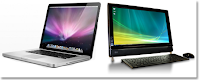


•    Turn on your PC and your Mac, plug the Ethernet cable on the back of the computer. Plug the other end of the Ethernet cable into your Macintosh computer's Ethernet port.

•    Click the "Finder" icon on your Mac computer's screen dock, and click "Go".

•    Select "Connect to Server" from the drop-down menu.

•    On the Server Address field type "smb://IPaddress/ShareName". Replace the "IPaddress" with your PC's network address and shared user name. Click the "Connect" button to continue.

•    Enter the work group, user name and password for your PC, and select the access folder. Press the "Return" key on your Mac keyboard.

•    Double-click the PC volume on your Mac's desktop screen, and click the file you wish to transfer. To highlight multiple files for transfer, hold down the "Shift" key while clicking the file.

•    Drag and drop the files from the folder to your Mac's desktop screen to transfer them.

•    Click and drag the PC volume icon from the desktop to your screen dock's Trash icon to disconnect from your PC.
»»  READMORE...

Ubuntu 11.10 is here!


Ubuntu 11.10 has been released. You can download it from the Ubuntu website.
»»  READMORE...

Want to try out Windows 8?


If you want to try out Windows 8, you can download the developers preview release at this link. You can run it off a USB thumb drive.
»»  READMORE...

Google Releases A Notebook !

Its not for sale, an we do not expect it to be for awhile. Google is offering it CR-48 notebook powered by its Chrome OS under a pilot program. 

The notebook is a 12.1" notebook which weighs in at 3.8 pounds. Connectivity is via WiFi and 3G. From the pictures, there is no provision for connecting via LAN (that is something they should have taken out from laptops a long long time ago). Battery life is 8 hours. Other than that, we really do not know much more about it.


The only way you can get one is to sign up for their pilot (i.e. beta test) program. If you want to apply for one you can apply through this link: TEST DRIVE A CHROME NOTEBOOK. 

I gave it a shot, and asked for three notebooks for our small business. Doubt we will be selected, but it never hurts to try.
»»  READMORE...

History of Computer

In order understand today's computers, it might be worthwhile to take a quick look at the evolution of computer's.

Historians of calculation with the abacus and trace its origin to around 5000B.C It was used for performing simple calculations. 

In the seventeenth century, John Napire, a Scottish mathematician, did considerable work on the aids for calculation. The most notable one was the invention of logarithms in 1614.

In 1620, just six years after the invention of lograithms, William oughred, an English mathematician, invented the slide rule. This is a calculating device based on the principles of logarithms. 

A slide rule of tow graduated scales, one of which slides over the other. The scales are devised in such a manner that suitable aligment of one scale against the other makes it possible to computer products, additions, e.t.c. just by inspection.

In 1642, Blaise pascal, a French mathematician, invented the machanical calculating machine. In this machine, numbers were entered by dialing a series of numbered wheels. 


Another series of toothed wheels transfrred the movements to a dial, which showed the results. Gottfried von Leibintz a German mathematician, in 1671 invented a calculating machine which was able to perfrom multiplications. 

Between 1802 and 1804, Joseph Marie jacquard, a French textile manufacturer, invented a mechanical system for use in the textile industry. This machine was used to automatically control weaving looms to facilitate the production to woven cloth with complex patterns.
»»  READMORE...

What is a Computer

In simple words, a computer is an electronic device which processes information based upon the instructions provided, and generates the desired output. 

Like any other system, a computer system also requires an input which is processed to get the desired output. In the case of computer, two kinds of inputs are required. 

One, the basic or raw data, and two, a set of instructions containing the methodology to process this data. This set of instruction is called program or software in computer speak.

Some people erroneously believe that computers can only work on arithmetic operation, or a good background in mathematic is a per-requisite for learning computer. 


Nothing could be further from truth. A lthough it is correct that the computer internally processes all information’s mathematically, the user can work on any kind of data-test, numeric, alpha-numeric, images, pictures, sound, video clippings, etc. 

in fact, most of the computer applications nowadays are non-numeric. Neither is mathematical background essential for learning and working on computers. 

After all, we drive vehicles very well, without knowing anything about suspension, combustion, differential,etc.

What’s so special about computers

The five major characteristics of computers which have made them so powerful are
1 speed
2accuracty
3consistency
4storage capacity
5flexibility
1 Speed
Computers works at an incredible speed. This can be gauged from the fact that the speed of the computers is measured in terms of milliseconds, microseconds, nanoseconds or picoseconds, i.e. one thousands, one millionth, one billionth, and one trillionth of a seconds, respectively. 

Chances are there that the computer you are presently working on would, also called MIPS in computer jargon

2 Accuracy
In addition to being fact, computers are also accurate. They either give the correct answer or do no answer at all. Hoverers, it must be remembered that the computer is capable of doing only what it is instructed to do. 

If faulty instructions are provided for processing the data, obviously faulty answers will be given. This is also called GIGO, i.e. Garbage IN garbage out. Hence, the only possibility of an error occurring is due to inaccurate instructions or faulty data.

3 Consistency
Unlike human beings, computers being machines are highly consistent they never get bored too! I am yet to meet a computer complaining of a monotonous job! Hence, they are ideal machines for carrying out repetitive and voluminous work.

4 Storage capacity
Today’s computers can store huge amounts of data. Once recorded, a piece of information can be retrieved almost instantaneously. To give you an idea of storage capacity, a single CD ROM can contain the entire Encyclopedia Britannica, and more!

5 Flexibility
A computer is a versatile machine and its use is limited only by your imagination. In today’s fast developing technology-would be very difficult, in some cases inconceivable, to find an area where computers are not being used to a great advantage. 

However, computers have one major limitation, computers are not originally creative, and they world never be They would never be able to write An old man and the sea, they would never be able to paint a monalisa (although they can faultlessly duplicate it), and they would never be able to compose beethoven’s sonata. 

And thank god for it!
»»  READMORE...